
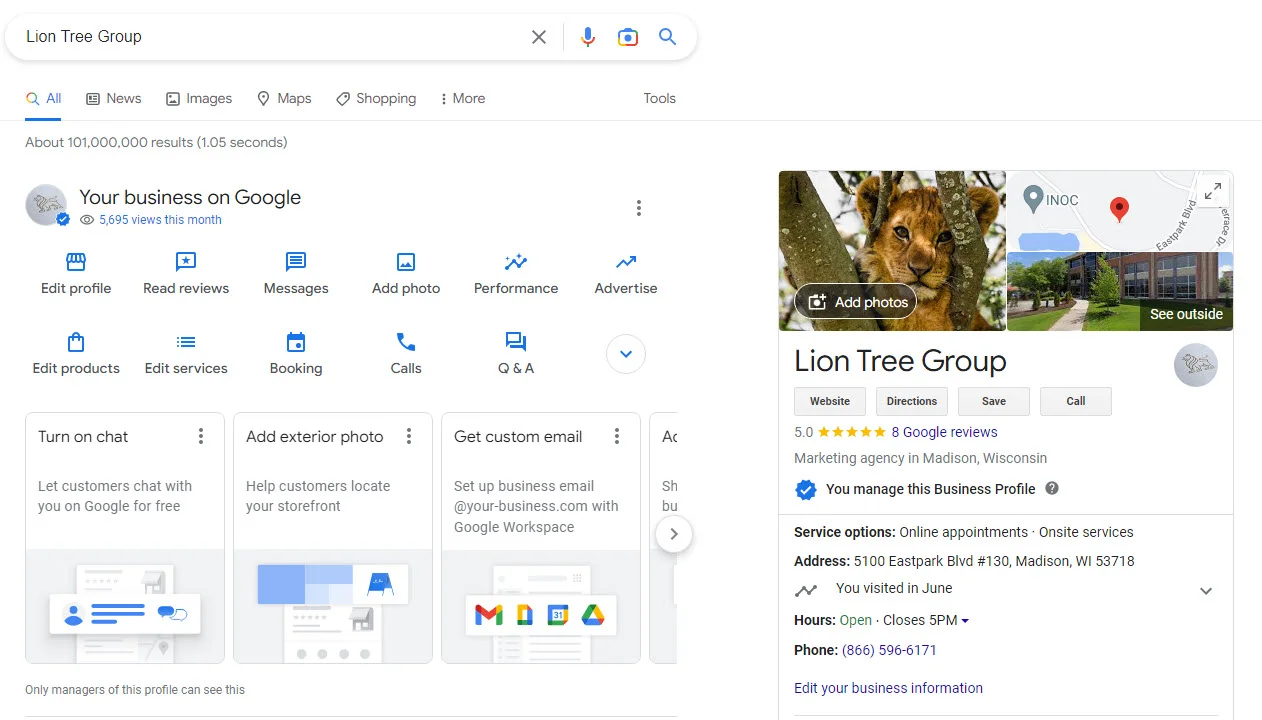
Most Google Business Profile optimization advice is describing a product that no longer exists
Search for a guide to this and you'll be told to seed your Q&A section, post weekly for rankings, and stuff keywords into your business name. The first is impossible now, the second doesn't do what people claim, and the third gets profiles suspended.
Google Business Profile optimization changed substantially over the last eighteen months, and most published advice has not kept up. The Q&A panel was removed. The Performance tab was rebuilt. And profiles are increasingly read by AI systems rather than by people scrolling a listing.
This guide covers what actually moves the needle now, what stopped working, and the maintenance routine that separates a profile that ranks from one that merely exists.
If you haven't created or claimed your profile yet, start with how to set up a Google Business Profile and come back here once you're verified.
Where Google Business Profile optimization actually applies
Google's own framing has three parts, and understanding the weight of each saves you from wasting effort.
Proximity — how close the searcher is to you. This is the single strongest factor and the one you cannot change. A plumber four miles away will usually outrank one twelve miles away for the same query. You can't optimize your way around geography, which is why "why am I not ranking everywhere in my city" is usually the wrong question.
Relevance — how well your profile matches what was searched. This is where optimization actually lives, and it's where most of this guide is aimed.
Prominence — how well known you are. Reviews, citations, links, real-world recognition. Builds over months, can't be rushed.
So Google Business Profile optimization is really relevance work, plus a slow, deliberate push on prominence.
The practical reading: proximity is fixed, prominence is slow, relevance is the lever you control this week.
Your primary category is the highest-leverage field on the profile
If you change one thing after reading this, change this one.
Your primary category is the strongest relevance signal Google has. It determines which searches you're eligible to appear in at all — not how well you rank within them, but whether you're in the running.
Get it wrong and no amount of reviews, posts or photos will rescue you, because you're not competing in that race.
How to choose it properly:
- Search the term you most want to rank for, in an incognito window
- Look at the three businesses in the map pack
- Click each one and note their primary category
- If all three share a category and you don't have it, that's your answer
This takes ten minutes and is more reliable than any category list, because you're observing what Google already rewards for that exact query.
On secondary categories: add up to nine, but only ones you genuinely serve. Each dilutes the primary signal slightly, so three or four relevant ones beats nine loose ones. Adding categories you don't actually serve is a documented suspension trigger, and the brief ranking bump isn't worth the appeal process.
[SCREENSHOT SLOT 1] — Your category field with primary and secondary categories set. Blur the business name if it's a client.
Fill in every field, because empty fields are invisible fields
Google can only match you against searches for information you've actually given it. An empty services list means you don't appear for service searches. This is the dullest part of optimization and the most reliably effective.
Services. List them individually with their own descriptions, not as one block of text. Each becomes a separate matchable entity. A plumber with eighteen listed services has eighteen chances to match a query; one with "plumbing" has one.
Products. If your category supports it, same logic.
Attributes. Wheelchair accessible, free parking, women-owned, LGBTQ+ friendly, online appointments. These appear as filters in Maps — when someone filters for one, businesses without the attribute vanish from the results entirely. Each applicable attribute is a filter you survive.
Business description, 750 characters. Write it for a person deciding whether to call. Keyword stuffing here is a weak relevance signal and reads badly to humans, who are the ones who actually convert.
Hours, including special hours. Wrong hours are among the most common complaints in local reviews, and they're entirely within your control. Set holiday hours in advance.
Service area, for businesses that travel. Realistic radius — Google's guidance is roughly a two-hour drive as the outer bound. Claiming an entire region from one van is a flag.
Reviews are the strongest signal you can actually influence
Proximity is fixed. Prominence is slow. Reviews are the one prominence factor you can move deliberately.
Four things matter, in roughly this order:
Volume relative to competitors. Not an absolute number. If the top three in your map pack have 40, 60 and 85 reviews, you need to be in that conversation, not at 4.
Recency. Thirty reviews from 2023 is a weaker signal than twelve from this year. Review flow is read as evidence that the business is active.
Velocity. A steady trickle beats a sudden burst. Twenty reviews in one week after a year of silence looks exactly like what it usually is.
Content. Review text is indexed. A review saying "they fixed our emergency boiler leak on a Sunday" contains service and urgency keywords you didn't have to write yourself — and after the Q&A removal, review text is now one of the main sources AI uses to answer questions about you.
How to actually get them: ask directly, in person, at the moment the customer is happiest. Send the review link by text while you're still there. Don't offer incentives — that violates Google's policies and the reviews can be removed along with your profile's standing.
Respond to every review inside 48 hours, positive and negative. Responses are indexed too, and they're visible evidence to a prospect that someone is paying attention. For negative reviews: respond once, factually, without arguing. You're writing for the next reader, not the complainant.
[SCREENSHOT SLOT 2] — Your reviews panel showing responses. A real response to a real negative review is the most convincing image you can put in this article.
Photos do more work than people expect
Photos aren't a direct ranking factor, but they drive the behaviour that is. Profiles with substantial photo sets get materially more direction requests and website clicks, and those engagement signals feed back into prominence.
The minimum viable set:
- Logo and cover
- Exterior from the direction customers approach — this is what stops people driving past
- Interior, at least three
- Team, at least one with faces
- Work in progress or products, as many as you have
Add new photos monthly. Recency counts. A profile whose last photo is eighteen months old reads as dormant.
Use real photos. Stock imagery is recognisable, and on a local business profile it actively erodes trust — the whole point is proving you're a real operation at a real address.
What changed: Q&A is gone, and most guides haven't caught up
The profile Q&A section — where anyone could ask a question and the owner (or a stranger) could answer — no longer exists.
The timeline: Google deprecated the Q&A API in November 2025, began phasing out the public panel in December, and by early 2026 it had gone from profiles. In March 2026 Google announced the replacement, Ask Maps: an AI feature in the Maps app that generates an answer on demand instead of displaying a list.
Why this matters more than it sounds. The old advice — seed your own questions, pre-write the answers — was genuinely good, because you controlled the text. You can't do that now. Ask Maps assembles answers from your profile fields, your reviews, your photos, your website, and third-party sources.
So the question changes from "what answer should I write?" to "do the sources Google reads actually contain this answer?"
What to do instead:
- Put a real FAQ on your own website, in visible page copy, covering the questions customers actually ask. Not buried in accordions.
- Put FAQs on relevant service pages rather than one catch-all page, so the answer sits next to the service it concerns.
- Mine your old Q&A, support emails and reviews for the real questions. If you still have old Q&A threads anywhere, screenshot them before they're gone.
- Ask for specific reviews. "Could you mention the emergency callout?" produces review text that answers a question for you.
- Complete every profile field, because they're now inputs to a generated answer rather than decoration.
One caveat worth knowing: Ask Maps isn't available for every category — most medical categories, locksmiths, movers and a few others are excluded — and it can produce inaccurate answers you can't see or correct directly. The only defence is making the underlying information unambiguous.
Posts: useful, but not for the reason you've been told
You'll read that posting weekly improves your ranking. The evidence doesn't support that — posts don't appear to move map pack position directly.
They do three things that are worth your time:
- Occupy space on your profile when someone is deciding between you and a competitor
- Surface offers and events at the moment of consideration
- Feed the AI summaries that increasingly sit above the listings
A realistic cadence is every week or two, not daily. Posts archive after roughly seven days, so a dormant profile looks dormant quickly. But posting filler every day to chase a ranking factor that isn't there is wasted effort.
Use them for things that are actually happening: a job you're proud of, a seasonal offer, a genuine piece of news.
The five things that get profiles suspended
Appeals can be submitted once, so attach all your evidence the first time.
- Keywords in the business name. "Smith Dental — Best Dentist in Denver" is the most common cause by a wide margin, and the most tempting, because it works briefly before it doesn't. Your profile name must match your real-world name — signage, receipts, registration.
- A virtual office, coworking address or PO box. Not eligible. If customers don't visit you, register as a service-area business.
- Categories you don't serve. Primary plus three or four genuine secondaries.
- A service area that doesn't match reality.
- Editing name, address or category while verification is pending.
A maintenance routine that fits in 20 minutes a week
Optimization isn't a one-off. Profiles decay against active competitors.
Weekly (15–20 min)
- Respond to every new review
- Publish one post
- Check for Google-suggested edits and reject anything wrong
Monthly (30 min)
- Add 3–5 new photos
- Review the Performance tab: searches, calls, directions, website clicks
- Update hours for anything upcoming
- Check your top three competitors' review counts against yours
Quarterly (1 hour)
- Re-check the primary category against who's currently ranking
- Refresh the description and services
- Audit NAP consistency across directories
- Update the website FAQ from the questions you've actually been asked
Measuring whether any of this worked
The Performance tab is where you find out. Watch four numbers:
- Searches — how many people found the profile, split between discovery (searching a category) and direct (searching your name). Rising discovery is the real evidence that optimization is working.
- Calls
- Direction requests — the strongest intent signal for a physical business
- Website clicks
Take a baseline screenshot before you change anything. Without it you can't tell improvement from seasonality.
[SCREENSHOT SLOT 3] — A Performance tab before/after, ideally 60–90 days apart on the same profile. If you only have the "before", publish with that and add the "after" later; an updated article is a freshness signal.
Expect weeks, not days. Category changes can show within a fortnight; review and prominence effects take months.
FAQ
How long does Google Business Profile optimization take to show results? Category and field changes can show within two to four weeks. Review-driven and prominence changes take two to six months. Anyone promising faster is selling something.
Is Google Business Profile optimization free? Yes. Google Business Profile optimization costs nothing — creating, verifying, optimizing and managing a profile are all free. Paid tools can help you track rankings or manage reviews at scale, but nothing in this guide requires one.
How often should I post? Every week or two. Posts don't directly improve ranking, so daily posting isn't worth the time.
Why am I ranking in some parts of my city and not others? Proximity. Map pack results change with the searcher's location, so there's no single "position" for your profile. Check with a tool that samples a grid of locations rather than searching from your office.
What happened to the Q&A section? Removed. Google deprecated the API in November 2025 and the public panel was gone by early 2026, replaced by the AI-generated Ask Maps. Put your FAQs on your own website instead.
Can I manage multiple locations? Yes, through Business Profile Manager at business.google.com, with location groups and bulk upload. Chains of ten or more locations need bulk verification.
Where to go next
→ How to Set Up a Google Business Profile — the step-by-step for creating and verifying a new profile
More guides in Local SEO, including map pack ranking and the local SEO checklist for small businesses.